
I added my answer to “What are the essential software tools for a product manager?” on Quora but wanted to go a bit further and summarize how the entire Product Management flow can work together with tools.
So often I talk with companies that are building and building but are super disconnected with their customers, the business objectives or the efforts of other teams. Or, they are growing and making progress but wish their Product Management was better.
Here’s my version of how Product Management can work. Of course, this is one of many different approaches.
Start with the Goals
When your company is cranking along it might feel lame to pause and talk about goals. Mumblings like “this is a waste of time”, “too many meetings”, “we already know what we’re trying to do”, “too much process”, “we don’t really do this”, etc may crop up. You need to push through this, having a clear goal to work with that everyone has agreed on is key to doing anything else well.
One stategy you can use is OKRs. Spend an hour watching this Rick Klau talk on OKRs on how Google does it and read this First Round Capital article about Swipely.
Example Objective: Increase Customer Engagement
Example Result: Increase user custom report sharing to 10 shares per user per month
Make sure your goals are somewhere you can add to or reference digitally. You are committing to building product to impact these goals, they need to be within arms reach.
Understand the Product
It’s important to be at a point with your product where you can understand what impact decisions will have on the product performance.
Heap Analytics
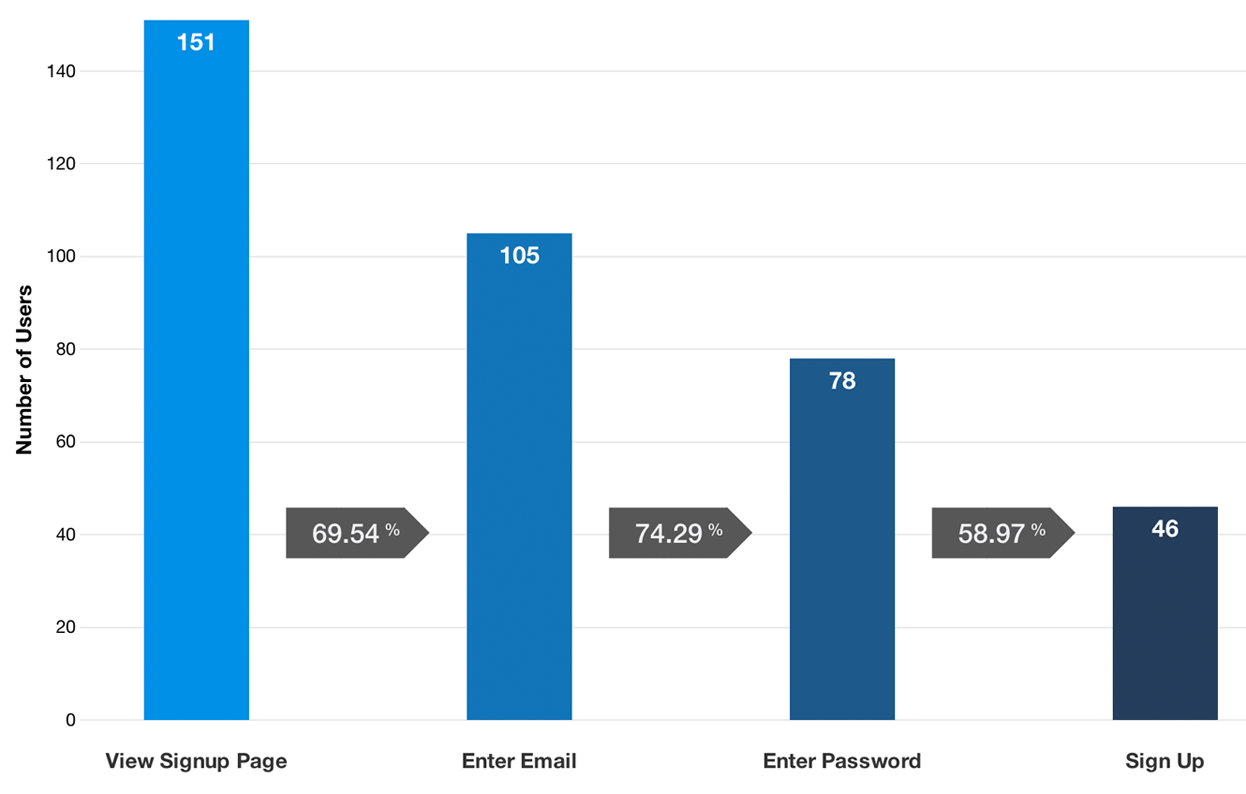
Heap is the best tool I’ve ever seen to understand user behavior. The install is a simple snippet. From there, you as the Product Manager have tons of control to investigate behavior.
SendGrid Reports
Whether you use SendGrid or another system to deliver your transactional email, don’t treat email as a secondary piece of your product, give it the credit it deserves. Spend time building a spreadsheet model that enables you to download data, add to your model and see how your transactional email is performing.
Google Analytics
I’ve never become an expert with GA or had anyone around me that was. I’ve found GA is great for understanding your audience and macro behaviors. Where does our traffic come from? What devices are being used? etc.
Internal Reports
Is there anything about your product that you need to understand it better? Ask for help from your Engineering team and work hard to uncover missing pieces of the puzzle.
Just like having clear goals set for the business, understanding how your product performs is a prerequisite to do anything else strategically.
Understand your Customers
You have heard “Get out of the building” a million times now. What are sustainable things you can be doing to better understand the problems your customers have and how you can impact their lives?
Visit Customers
I used to procrastinate about visiting customers at their office but have since learned to love this part of Product Management. Instead of organizing some type of user testing or formal feedback session with your customer, simply make it your goal to stop by and say hello. “I’m in San Francisco next week and wanted to drop by and say hello. Can you grab coffee at 10a on Tue or 4p on Wed?” Another approach is to use conferences to talk with customers. I have found having a conversion about work life, the customer’s products and their strategy is a great way to understand their world much better.
Use LinkedIn for Personas
Search LinkedIn for 2nd connections in the San Francisco Bay Area with keyword “Marketing”. You’ll see people with titles like “Vice President Marketing” and “Marketing Strategy for Saas, eCommerce and Payments”. Tweak the search and find profiles that are relevant to your product then print these out and tape them to the wall. Cute persona names like “Mary Marketer” have never resonated with me. I like talking about how real people would find value.
Help with Support
Try to plugin somehow with the support process. You can be part of the team helping to answer tickets, you could attend the support team’s regular meeting, you could ask for access to their ticketing system so you can review tickets and look at trends, etc. Understanding tone, terms customers are using and problems they are having using the product is context you need to make better decisions.
Have a Repository of Ideas
Good ideas and customer feedback pile up extremely fast. You need a system in place for storing and referencing these ideas.
Prodpad
In Prodpad, anyone can submit an idea via email and each idea has a business case, impact vs effort scale and user stories that the Product Manager can write. This is awesome because it gives everyone on the team a place to send ideas with low friction and empowers the Product Manager to add detail and prioritize.
Create the Gameplan
Let’s assume now that you have clear goals, understand how the product performs and a repository of ideas that could potentially impact those goals, it’s time to come up with the gameplan. Each team is different, sometimes it’s the sole ideas of the Product Manager and other times it’s a collaborative effort from the whole team. In either case, it’s your responsibility and critical that you get buy-in from the team. Talk about why certain features are prioritized and backup your thinking with evidence like user data, business KPIs and customer stories. The rest of the team is about to work very, very hard on building the product you’re asking them to build, they deserve a rock solid gameplan.
Google Design Sprint
Being able to pull off something like the GV Design Sprint with your team is varsity stuff. It requires a level of leadership, ability to collaborate and skills that most teams don’t have. I recommend watching that video for inspiration and understanding where your team’s strengths are to come up with your own version.
Roadmap
The Roadmap is a way to talk about the gameplan with anyone that’s not on your immediate team. It tells the story of how you are going to invest and why.
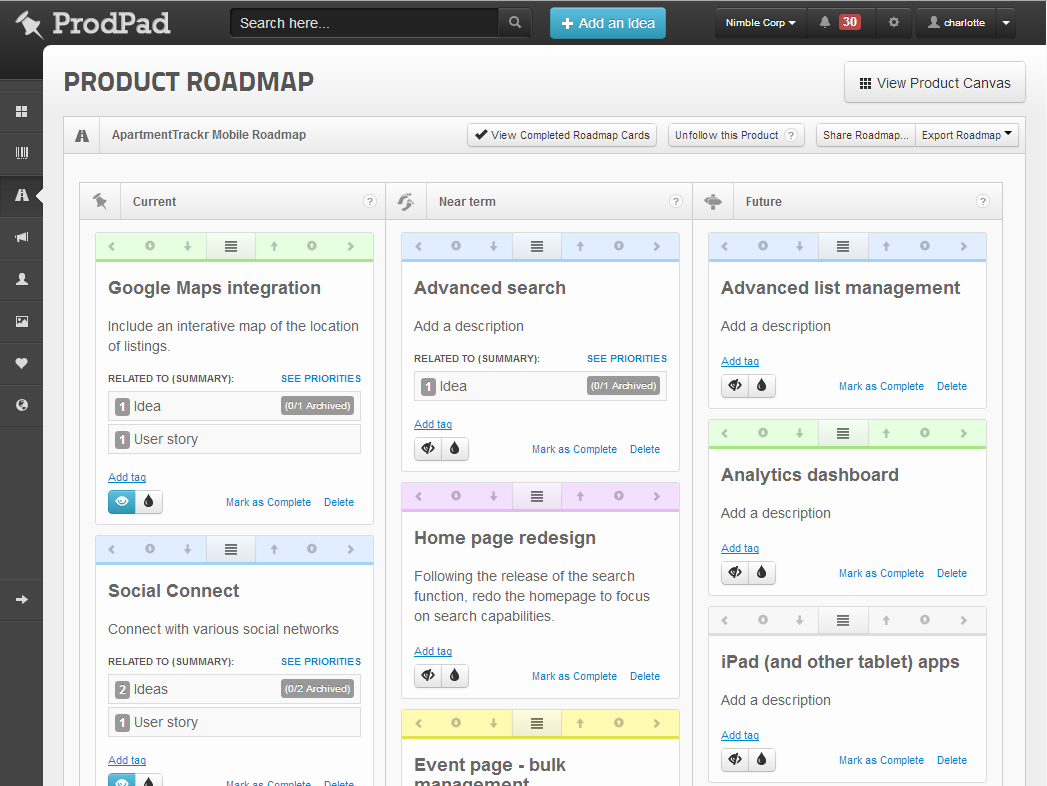
Because you have done the hard work of defining goals and understanding your product, you are not shooting from the hip now.
“We are rolling out a new report UI that will make it easier for users to share custom reports with their team. This will be measured by seeing an increase from 1.5 reports shared to 10 reports shared per user per month. This aligns with our business goal of improving customer engagement.”
Wireframe and Flowcharts
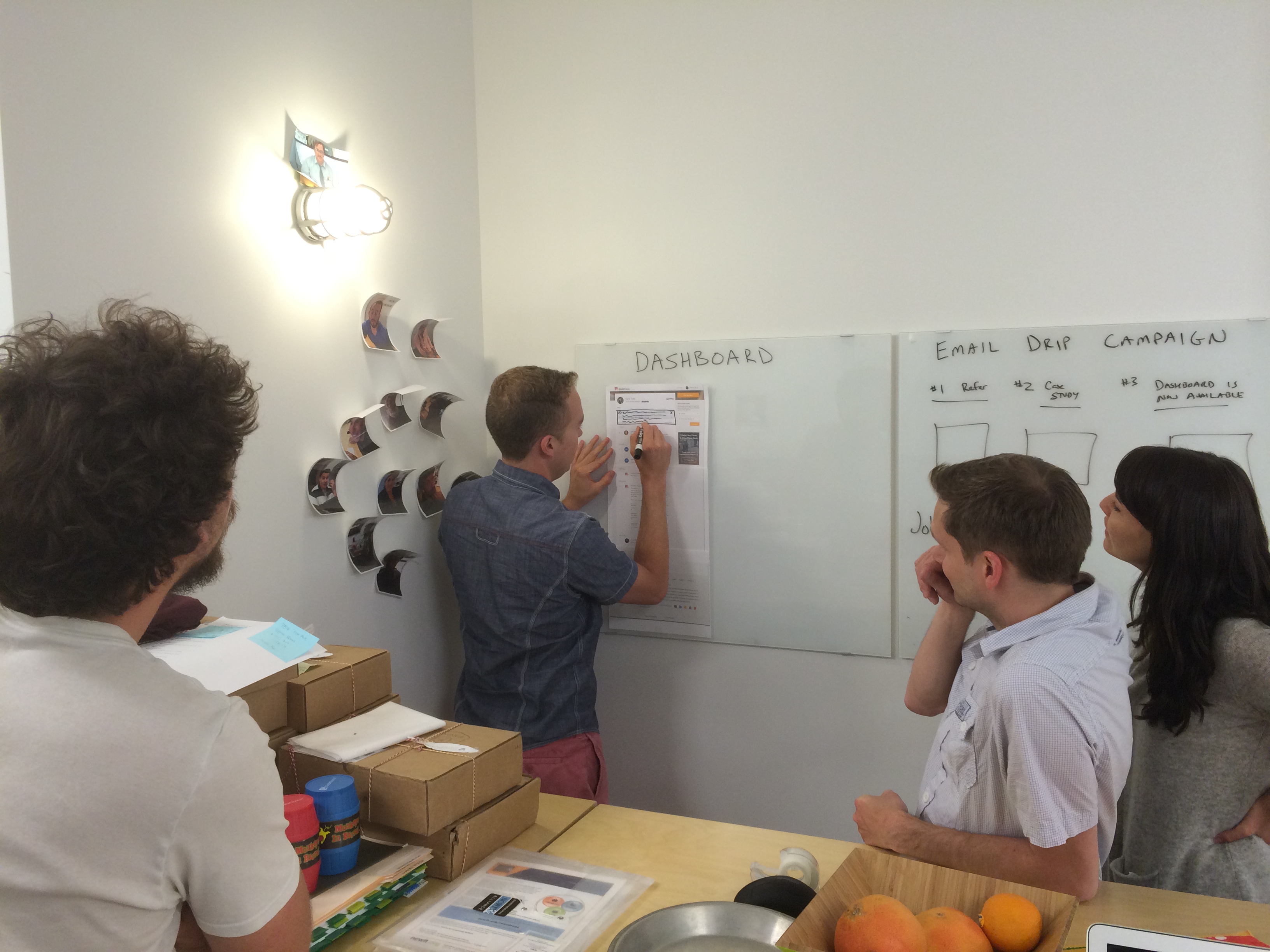
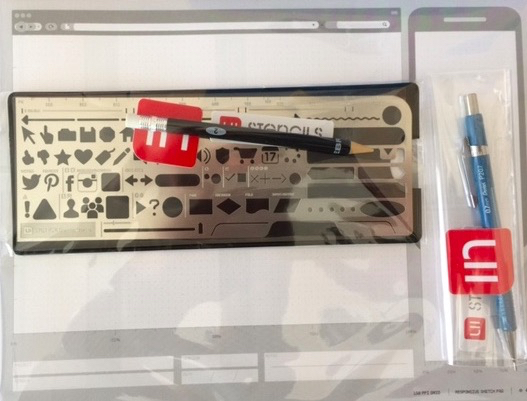
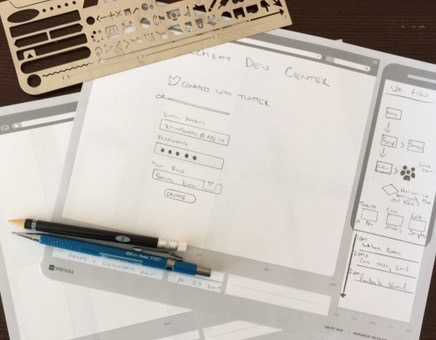
Now that the plan is understood, it’s time to dig in. Use simple wireframes and flowcharts to articulate your gameplan. For each flow, be able to talk about how it will impact one of your goals. Using tools like UI Stencils or Balsamiq Mockups makes this easy. Tape everything to a wall in your office to create an easy way to informally discuss the plan with the team.
Get Feedback
Once you have wireframes or designs, use tools like InVision and Usabilityhub to get feedback from customers, the general public and internal stakeholders. This lends credibility to the entire design process and builds trust with your team.
Write User Stories
User stories define what will be built. If you have been collaborating with the team on what to build, writing user stories should be more busy work than innovation. This is the time to think through every single edge case and be very detail oriented. During development, questions are always going to come up. The more thorough you are writing user stories, the smoother things will go.
Daily Standup
Attend your team’s daily standup even if you have nothing to add. You need to be there to answer questions and support the development of the product you are asking the team to build.
QA
Even if you have a full-time QA on your team, I’d recommend being a key part of the testing effort. When I haven’t done this, I’ve felt disconnected from the team and hard work being put in to build the product I asked for. You need to be the expert of the product, the more time you spend on alpha and beta versions before going to production the better.
Communication
Updating the company about product development happens differently for every company. Do you need to be a part of your sales team’s weekly meeting to talk through what’s in progress and what’s on the roadmap so they can talk intelligently with customers? Do you need to demo new features at company meetings?
Screenflow
Creating screencasts to show off new features is powerful. I have used this technique to demo products in board meetings, company meetings and to customers. I’ve used Screenflow for Mac to author the screencast then uploaded to Vimeo to share.
Blog Post
For new features, write a blog post that talks about the value for your customer, how it solves their problems and include screenshots. Your marketing team may choose not to use the post, it may not get promoted, etc but it’s a great practice to be in.
Launching a Feature
The moment has arrived but the work is not done. Once a new feature launches, it’s important to understand early indications of how things are performing. Talk to your support team, any tickets related to the new feature? Test your analytics, is the data being recorded exactly as expected? If you are running any A/B tests, are they recording data correctly?
Numbers Review
I heard Steven Lurie describe a “Numbers Review” meeting in which the Product Manager presents performance data of a newly launched feature.
“Product teams have a bad habit of always looking forward. What’s the next shiny feature to build? When the Engineering team works hard to build something they should not be in the dark about how it’s performing.” – Steven Lurie
The beauty of the Numbers Review is that it connects many of the core concepts in this post together. In order to deliver a great Numbers Review meeting the Product Manager needs firm benchmarks on product performance prior to the new feature. They also need to reiterate the intended value of the feature and how it connects to company goals (OKRs).
Summary
These are two of my favorite images describing Product Management.
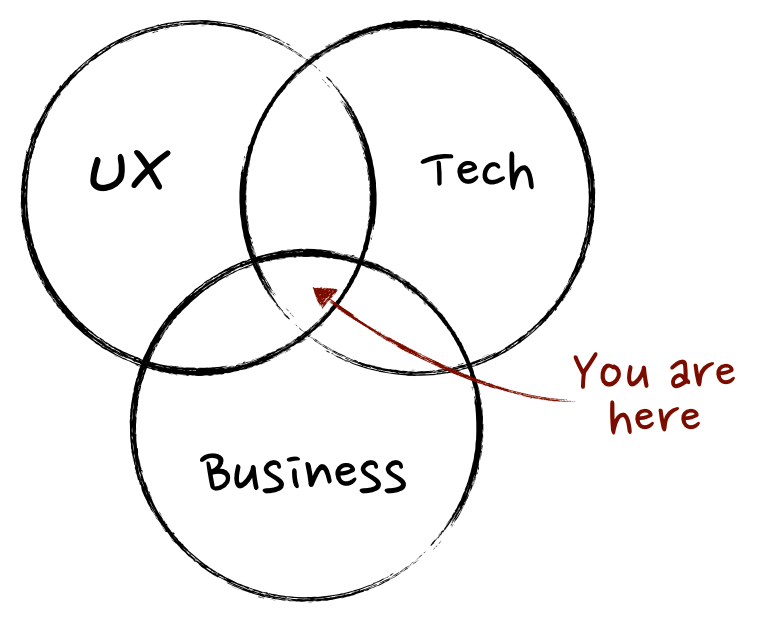

My approach is just one of a million different ways to build amazing products. I hope you found some useful tips.
Product Management is a wonderful blend of design, collaboration, empathy, strategy and engineering. Now, go forth and make amazing things!

 Kelly Taylor's Blog